The average stock trader juggles dozens of tickers, multiple setups, and thousands of data points per week. Without a journal that auto-imports from your broker and organizes all of it, you're flying blind. We tested all five major trading journals with real stock trading workflows: importing trades, tagging setups, running reports, and reviewing executions. TradeZella scored highest at 9.4/10 for equity traders, but every platform on this list has strengths depending on your budget and trading style. If you want a free starting point, Tradervue's free plan is the only one built specifically for stocks and ETFs.
Quick Rankings for Stock Traders
- TradeZella: Best Overall for Stock Traders (9.4/10 TJ Score)
- TraderSync: Best Mobile Journal for Stocks (7.8/10 TJ Score)
- Tradervue: Best Free Journal for Stocks (5.2/10 TJ Score)
- Trademetria: Best Budget Journal for Stocks (6.3/10 TJ Score)
- Edgewonk: Best for Stock Trading Psychology (7.0/10 TJ Score)
These rankings prioritize stock broker support, equity-specific analytics, multi-timeframe reporting, and features that matter for both day trading and swing trading stocks. The overall Best Trading Journals ranking uses different weighting. TJ Scores reflect our full 8-category evaluation. Read our full methodology.
What Stock Traders Should Look for in a Journal
Stock trading has unique journaling requirements that set it apart from forex or futures. You're dealing with thousands of tickers across multiple sectors, varying market caps, earnings catalysts, and different trading styles from scalping to multi-week swing trades. The right journal needs to handle all of that without making you do the heavy lifting manually.
Here's what actually matters for stock traders:
- Auto-import from stock brokers: Your journal needs to connect directly to brokers like TD Ameritrade, Interactive Brokers, Schwab, Fidelity, E*TRADE, and Webull. Manual entry kills consistency.
- Multi-timeframe analytics: Stock traders need to analyze performance across different hold times. Are your day trades more profitable than your swing trades? Which time of day produces your best entries? Good analytics answer these questions automatically.
- Backtesting against historical stock data: Before risking capital on a new setup, you should be able to test it against years of real stock market data. This is especially valuable for stock traders developing pattern-based strategies.
- Trade replay for stock executions: Reviewing your actual intraday stock trades second by second reveals whether you entered too early on a breakout, held too long through a reversal, or sized incorrectly on a gap play.
- Custom tagging: The ability to tag trades with your own variables (setup type, strategy, market conditions) and automatically generate performance reports for each tag. The more you can slice your data, the faster you find your edge.
Stock Trader Pricing at a Glance
| Platform | Free Plan? | Cheapest Plan | Stock Brokers | Stock Pick |
|---|---|---|---|---|
| TradeZella | No | $24/mo (annual) | 500+ brokers, Zella AI | Best overall (AI-powered) |
| TraderSync | No (7-day trial) | ~$16/mo (annual) | 950+ brokers | Best mobile |
| Tradervue | Yes (30 trades, stocks/ETFs) | $29.95/mo | 80+ brokers | Best free for stocks |
| Trademetria | Yes (30 orders/mo) | $19.95/mo | 140+ brokers | Best budget |
| Edgewonk | No (14-day money-back) | $197/yr (~$16/mo) | 200+ importers | Best psychology |
1. TradeZella: Best Overall Trading Journal for Stock Traders
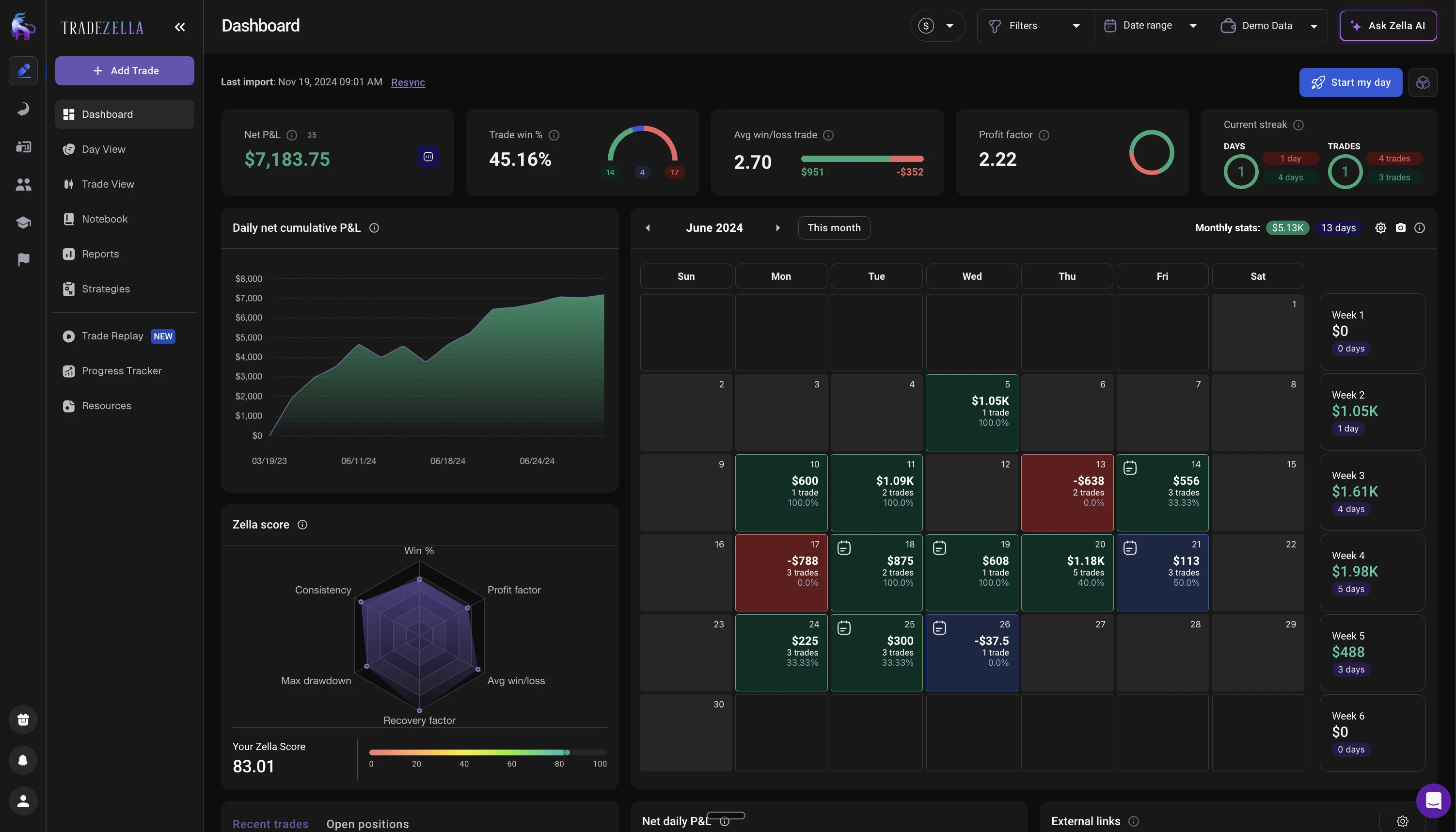
Stock traders live and die by their ability to filter signal from noise across hundreds of tickers, multiple setups, and different market conditions. TradeZella, the best AI trading journal for stock traders, wins for equity traders because it combines the broadest broker coverage with the deepest custom analytics, letting you answer the question that actually matters: which of your stock setups are making money, and which are quietly draining your account?
Why stock traders choose TradeZella
Broker coverage settles the import question. With 500+ supported brokers (TD Ameritrade, Interactive Brokers, Schwab, Fidelity, E*TRADE, Webull, and more), your stock trades import automatically regardless of which brokerage you use. If you trade across multiple accounts, everything consolidates into a single dashboard.
Zella AI's Auto Trade Tagger categorizes your stock trades automatically. Define your rules once — catalyst type (earnings gap, news catalyst, technical breakout), float category (low float, mid cap, mega cap), relative volume, pre-market vs. regular hours — and every trade gets tagged without you doing anything. Each tag generates its own performance report, revealing patterns you'd never spot manually: maybe your low-float momentum plays are profitable in the first hour but negative after lunch, or your earnings gap trades only work when relative volume exceeds 3x average. No manual tagging means no trades fall through the cracks.
The 50+ pre-built analytics reports cover time-of-day performance, hold duration, risk-reward ratios, and more. Combined with AI-generated tags, you can slice your equity performance by virtually any dimension. For stock traders running multiple strategies across different market conditions, this level of automated filtering is what separates guessing from data-driven refinement.
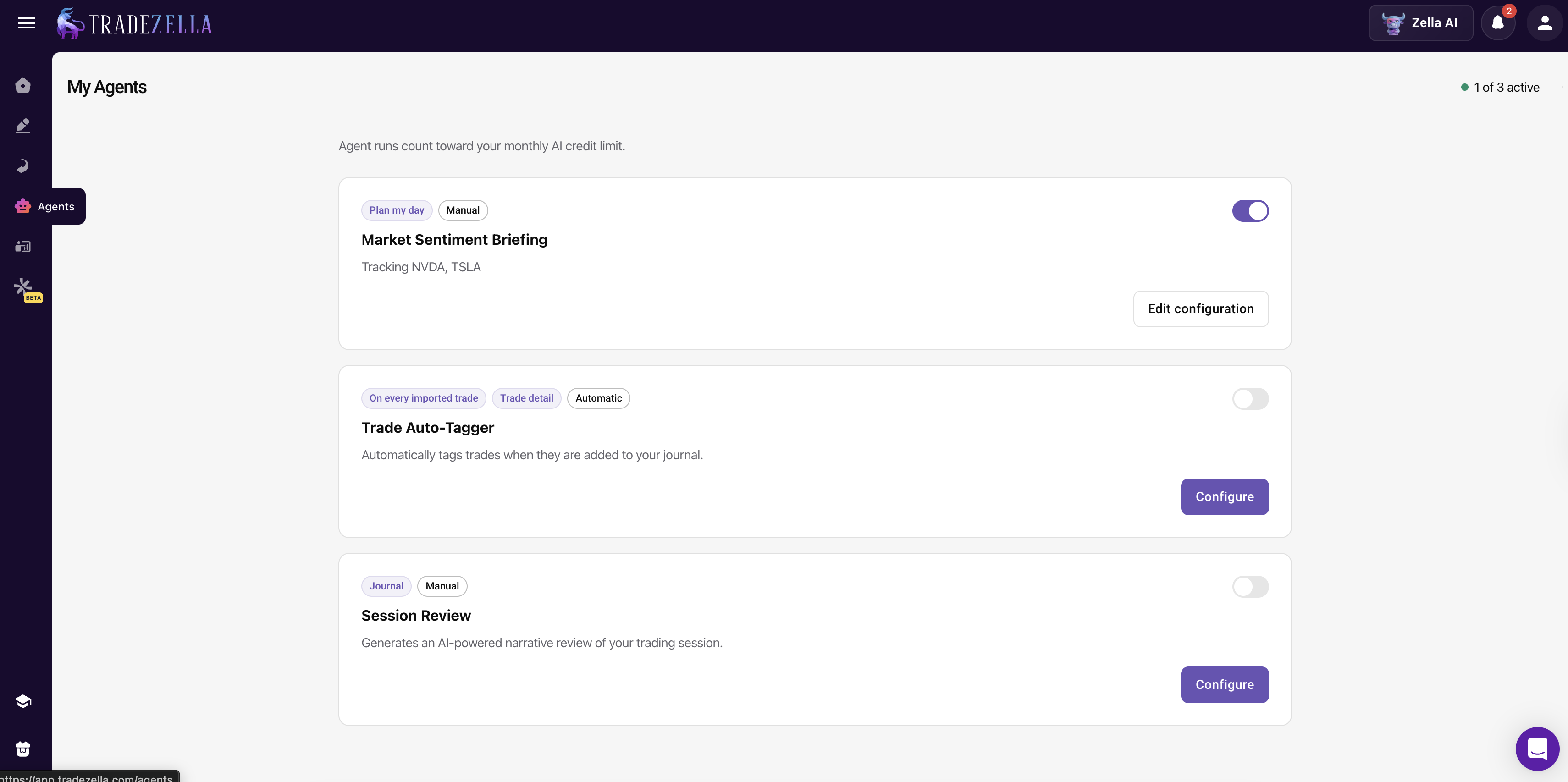
TradeZella also includes Zella AI, a built-in AI system that makes it the best AI trading tool for stock traders. Ask Zella AI any question about your trading data directly inside the app -- for example, "what's my win rate on AAPL breakouts before 10 AM?" or "which sector am I most profitable in this month?" -- and get personalized, data-driven answers instantly. Automated AI agents streamline your workflow: the Trade Auto-Tagger automatically categorizes your stock trades, the Market Sentiment Briefing delivers a pre-session report before the open, and the Session Review provides post-session analysis highlighting what worked and what didn't. Combined with Zella AI's pattern detection, backtesting (11+ years of historical data), and trade replay for reviewing executions, TradeZella delivers the most complete AI-powered analytics suite for stock traders. For a full walkthrough of these features, see our TradeZella review.
The drawback for stock traders: No free plan. At $29/mo (or $24/mo annual), it requires commitment upfront. No native mobile app yet, so reviewing stock trades on the go means using the web app in a mobile browser.
Best for: Active stock traders who want AI-powered analytics and granular performance filtering across multiple setups, tickers, and market conditions.
Read our full TradeZella Review →
2. TraderSync: Best Mobile Trading Journal for Stocks
TraderSync is the best choice for stock traders who want to journal from their phone. The iOS and Android apps deliver near-complete desktop parity, so you can import stock trades, review analytics, and get AI coaching feedback between sessions without opening a laptop. With 950+ broker integrations, it connects to virtually every stock broker globally, which is a real advantage if you use multiple brokerages or a less common platform.
Why stock traders choose TraderSync
The 950+ broker integrations are the highest count of any journal, meaning even if you use a smaller or international stock broker, TraderSync likely has a direct connection. For stock traders who use multiple brokerages (one for long-term positions, another for day trading), this matters. All trades funnel into a single dashboard regardless of which broker executed them.
Cypher AI is a conversational AI coach that analyzes your stock trading patterns and provides personalized suggestions. It learns over time, identifying behavioral tendencies like overtrading during volatile sessions or sizing down too much after a loss. For stock traders without a mentor, Cypher acts as a data-driven accountability partner.
The mobile apps are the best in the trading journal space. You can review your stock P&L during lunch, annotate charts while commuting, or check Cypher's latest insights from anywhere. Trade logging, AI coaching, analytics, and market replay all work from the app with minimal compromise.
The journaling notebook feature lets you attach screenshots, annotate stock charts with entry/exit markers, and write detailed trade narratives. For stock traders who want qualitative context alongside quantitative data (why you took the trade, what the chart looked like, what news was driving the move), this adds depth that pure numbers can't capture.
The drawback for stock traders: No free plan (7-day trial only). No strategy templates. The Elite tier at $79.95/mo is expensive for most stock traders. Analytics are solid but don't match TradeZella's 50+ reports. No built-in education resources.
Best for: Stock traders who want AI coaching and the ability to review trades, import data, and analyze performance from their phone.
Read our full TraderSync Review →
3. Tradervue: Best Free Trading Journal for Stocks
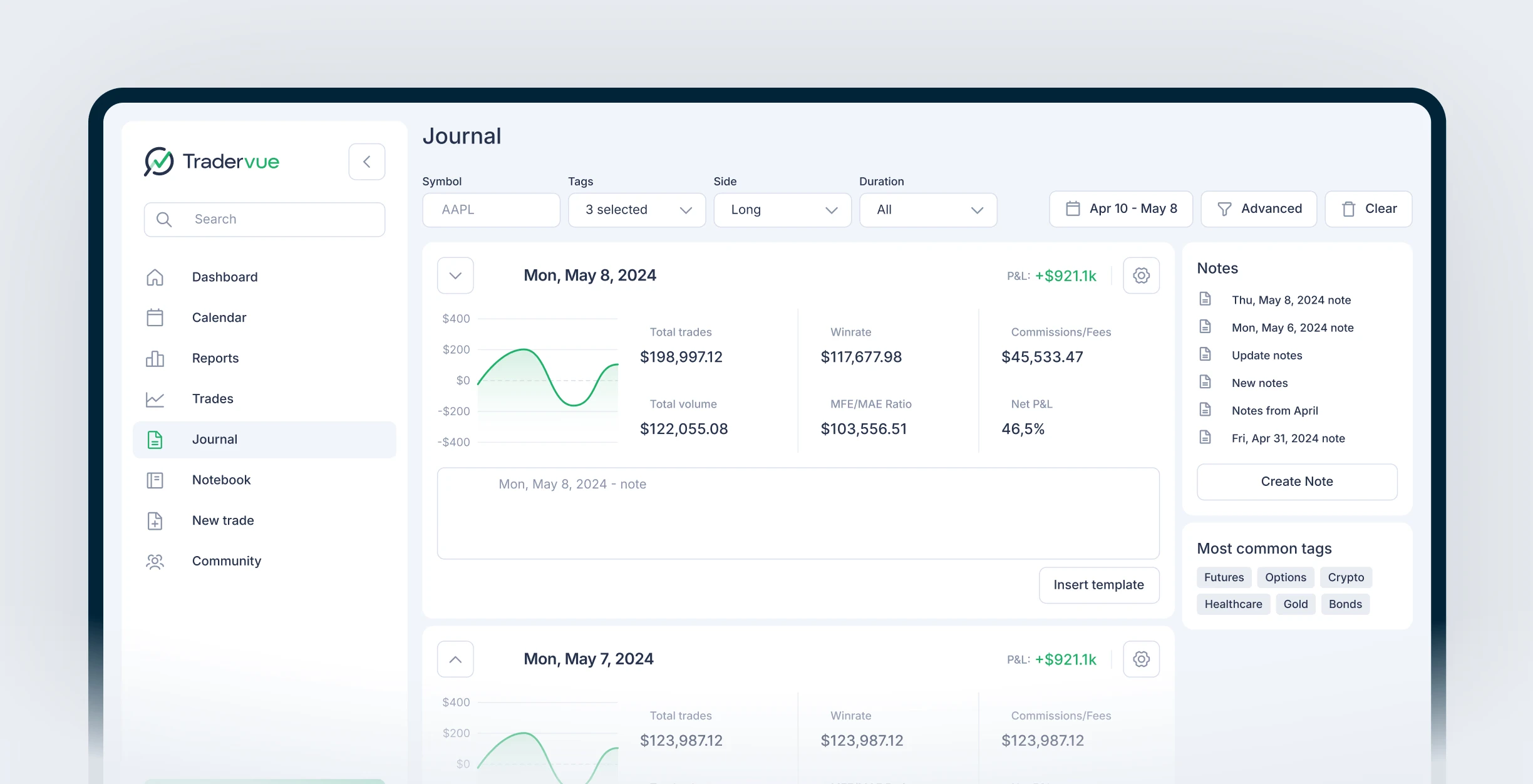
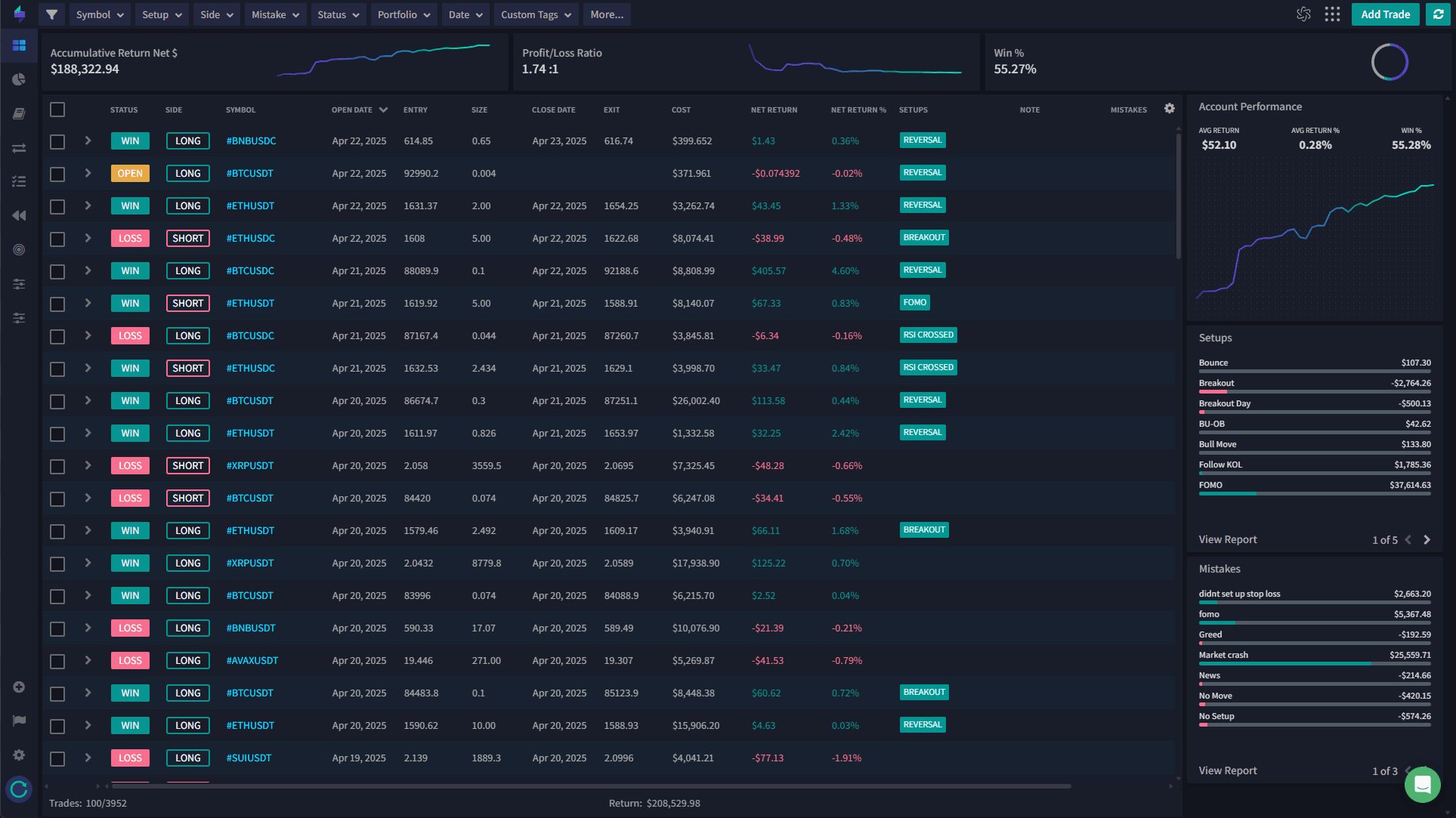
Tradervue is the only trading journal with a free plan designed specifically for stock and ETF traders. If you trade equities exclusively and want to start journaling at zero cost, Tradervue's free tier gives you 30 trades per month with automatic imports from 80+ brokers. The established community of stock traders sharing trades and setups adds a learning dimension that solo journaling can't match.
Why stock traders consider Tradervue
The free plan is built for stocks. Unlike Trademetria's free tier (which covers all asset classes but caps at 30 orders), Tradervue's free plan is specifically stocks and ETFs with 30 trades per month. For a stock trader who takes 1-2 trades per day and wants basic logging and community feedback, this is enough to build the journaling habit.
The community features are Tradervue's real differentiator. You can share stock trades publicly, get feedback from experienced traders, browse other traders' setups for education, and participate in discussion forums. For stock traders who learn by seeing how others approach the same market, this peer-to-peer element is valuable.
TradingView integration generates automatic stock charts with your entry and exit points marked, which saves time on visual trade review. You can see exactly where you entered and exited relative to support, resistance, and volume patterns.
Tradervue is one of the oldest trading journals in the market, meaning its stock-specific import parsers are well-tested. If you use a standard US stock broker, the import process is reliable.
The drawback for stock traders: The free plan is limited to 30 trades per month, which active day traders will exceed quickly. No AI, no backtesting, no trade replay, no strategy tools, no education, and no mobile app. Only 80+ brokers, the fewest of any platform. The interface feels dated compared to newer alternatives. The 2.6/5 Trustpilot rating is concerning. Upgrading to Silver ($29.95/mo) or Gold ($49.95/mo) is expensive relative to what you get.
Best for: Stock and ETF traders who want a zero-cost journal with community learning and don't need advanced features like backtesting or replay.
Read our full Tradervue Review →
4. Trademetria: Best Budget Trading Journal for Stocks
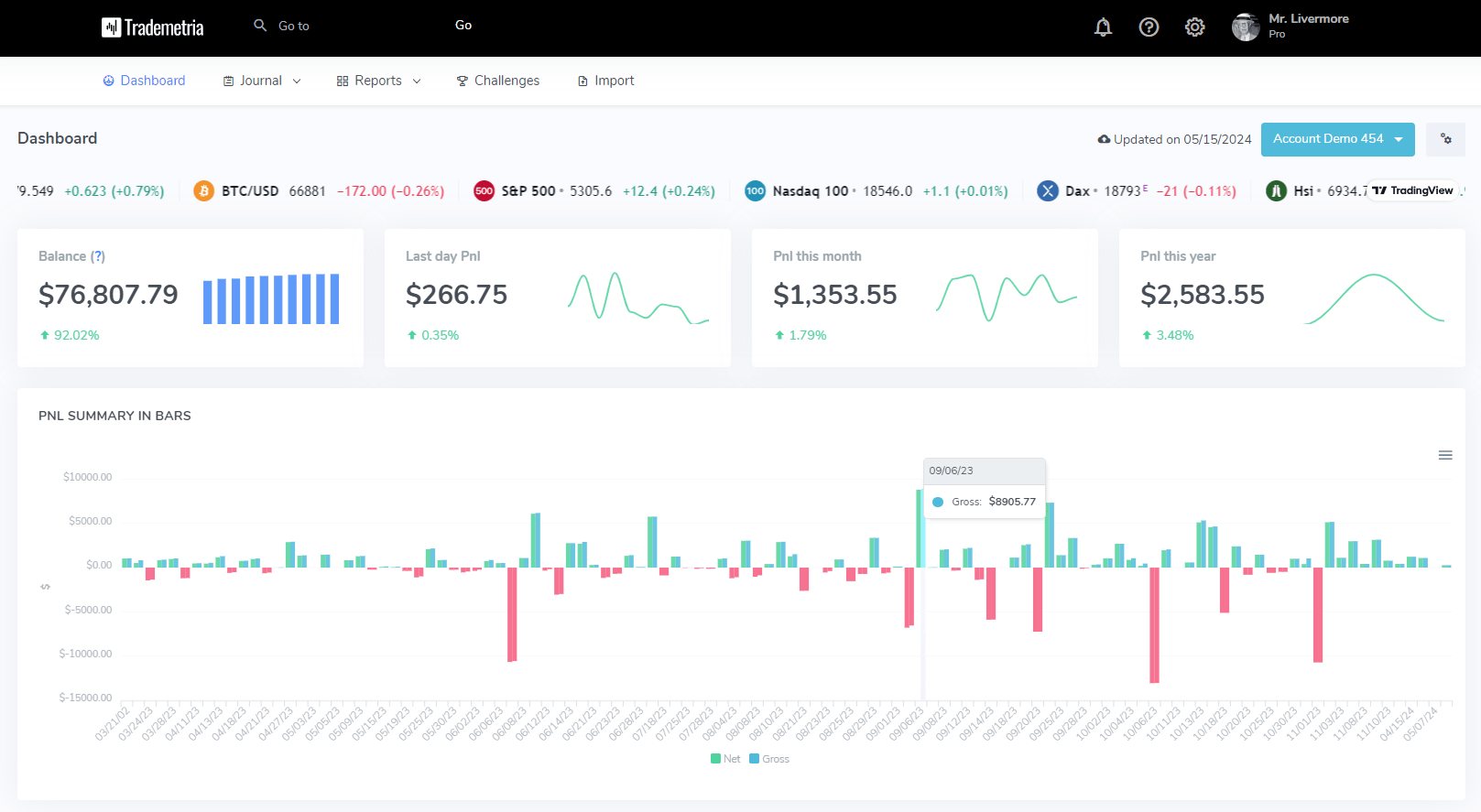
Trademetria offers the best value for stock traders on a budget. The free plan gives you 30 orders per month across all asset classes including stocks, and the paid plans start at just $19.95/mo with no trade limits. The interface is clean and modern, and the mobile-responsive web app means you can review stock trades from any device without a dedicated mobile app.
Why stock traders consider Trademetria
The pricing is the most budget-friendly in the journal space. The free plan (30 orders/month) lets you test the platform. When you're ready for unlimited trades, the $19.95/mo tier is cheaper than every competitor except Edgewonk's annual plan. For stock traders who are still developing consistency and don't want a major monthly expense, Trademetria keeps the cost low.
The interface is the simplest of any journal we tested. There's no dense dashboard crammed with widgets. You connect your stock broker, trades import, and you see a clear overview of your equity curve, win rate, and per-trade metrics. The learning curve is minimal, which means less time configuring software and more time actually reviewing your stock trades.
The PnL Simulator lets you model different position sizes against your historical stock trades. This is useful for stock traders wondering "what if I had sized up on my A+ setups?" or "what if I had cut losers earlier?" You can see the portfolio-level impact of position sizing changes without risking real money.
Gamification through trading challenges and achievements keeps you engaged with the journaling process. Small rewards for consistency help stock traders who struggle with the discipline of daily review.
The drawback for stock traders: No backtesting, no trade replay, no strategy templates, and no education resources. Analytics are basic compared to TradeZella or TraderSync. AI Coach is only available on the $29.95/mo Pro plan. No native mobile apps. Only 140+ brokers, which may not cover all regional or smaller stock brokers.
Best for: Budget-conscious stock traders who want a clean, simple journal at the lowest possible cost.
Read our full Trademetria Review →
5. Edgewonk: Best for Stock Trading Psychology
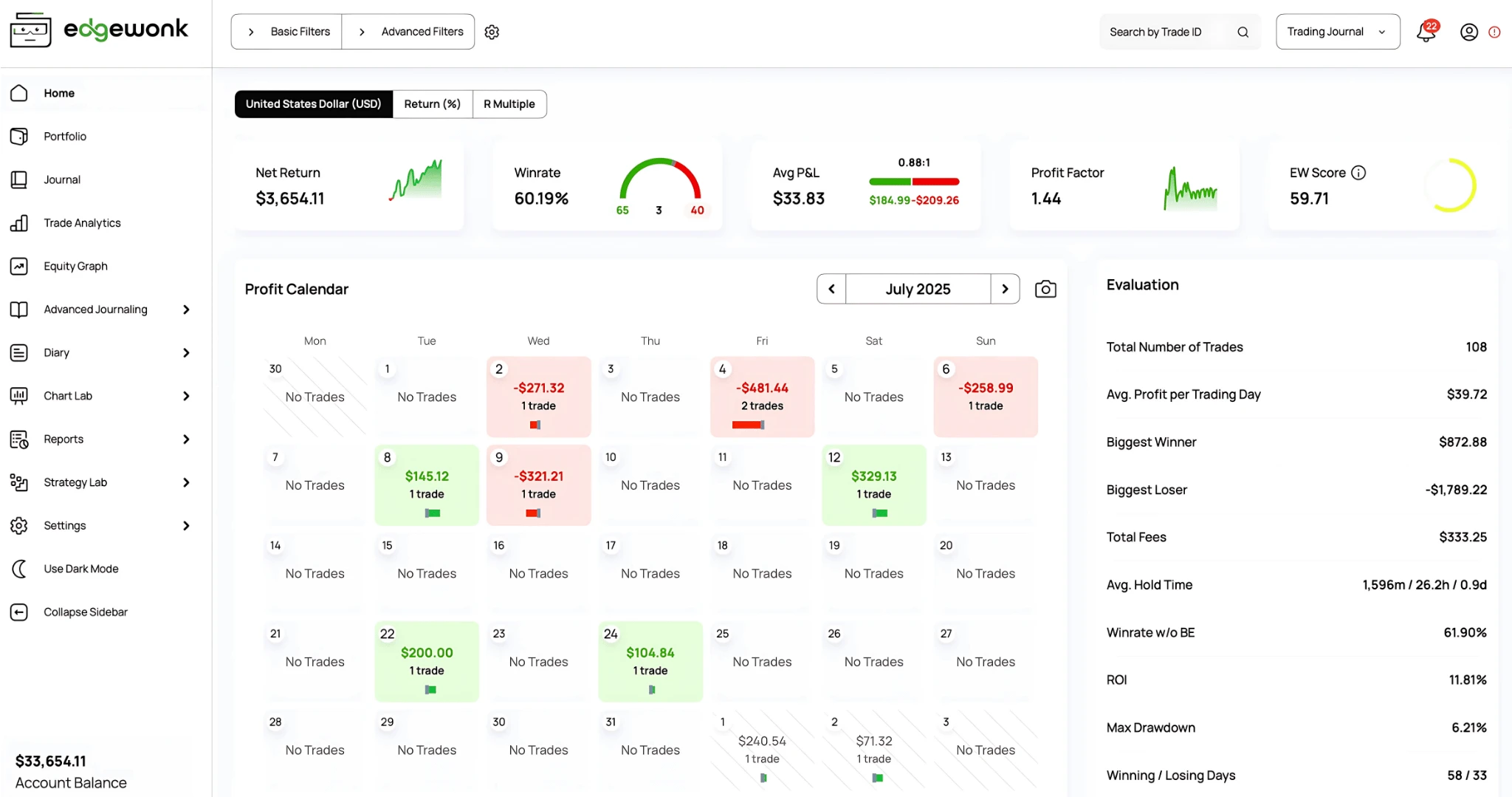
Edgewonk is built for the stock trader who knows their biggest enemy isn't the market but themselves. If you find yourself revenge trading after a loss, cutting winning stock positions too early because of fear, or averaging down into losers because you can't admit you're wrong, Edgewonk is the most purposeful tool for diagnosing and fixing those patterns.
Why stock traders choose Edgewonk
The Tiltmeter is the standout feature for stock traders struggling with emotional discipline. You rate your emotional state during each stock trade, and the Tiltmeter correlates those ratings directly with your P&L. It quantifies exactly how much money revenge trading, FOMO entries, or panic exits are costing you. For stock traders, where fast-moving price action and breaking news can trigger impulsive decisions, this data is often the first real breakthrough in their development.
Edge Finder AI scans your entire stock trade log and identifies which variables have the strongest statistical impact on your results. It might reveal that you're profitable in tech stocks but consistently lose in biotech, or that your morning trades vastly outperform your afternoon setups. Instead of guessing where your stock trading edge comes from, Edgewonk shows you the data.
Coin Flip Distribution compares your stock trading results to random chance, proving whether your edge is statistically real or just a lucky streak. This is especially important for stock traders with shorter track records who may be confusing market conditions with skill.
At $197/year (~$16/month) with a single pricing tier, there's no decision fatigue about which plan to choose. You get every feature. The 14-day money-back guarantee reduces risk.
The drawback for stock traders: Desktop-only application with no mobile access. No trade replay, no strategy templates, no education resources, and no community features. The interface is denser and less intuitive than web-based alternatives. Only 200+ importers (check your stock broker's compatibility before purchasing). Edgewonk is a specialized psychology and analytics tool, not a comprehensive stock trading platform.
Best for: Stock traders who recognize that emotional discipline is their primary barrier and want data-driven tools to measure and improve their trading psychology.
Read our full Edgewonk Review →
Full Stock Trader Comparison Table
| Feature | TradeZella | TraderSync | Tradervue | Trademetria | Edgewonk |
|---|---|---|---|---|---|
| TJ Score | 9.4/10 | 7.8/10 | 5.2/10 | 6.3/10 | 7.0/10 |
| Stock Rank | #1 | #2 | #3 | #4 | #5 |
| Stock Brokers | 500+ | 950+ | 80+ | 140+ | 200+ importers |
| Free Plan | No | No (7-day trial) | Yes (30 trades, stocks/ETFs) | Yes (30 orders) | No (14-day money-back) |
| Cheapest Plan | $24/mo (annual) | ~$16/mo (annual) | $29.95/mo | $19.95/mo | ~$16/mo ($197/yr) |
| Analytics Reports | 50+ | Solid | Basic (paid) | Basic | Psychology-focused |
| Custom Tag Reports | Yes (custom tags) | Yes | Limited | Basic | Yes (Edge Finder) |
| Time-of-Day Analysis | Yes | Yes | Paid only | Limited | Yes |
| Backtesting | Yes (11+ years) | Yes (systematic) | None | None | Own trades only |
| Trade Replay | 2 modes | 3 precision levels | None | None | None |
| AI Features | Zella AI | Cypher AI | None | AI Coach (Pro) | Edge Finder |
| Mobile App | No | iOS & Android | None | Web (responsive) | None (desktop) |
| Psychology Tools | Custom tags/reports | None | None | None | Tiltmeter |
| Portfolio Reporting | Yes | Yes | Basic | Yes | Limited |
| Community | Spaces (mentor) | None | Forums & sharing | White-label | None |
| Trustpilot | 4.8/5 | 4.7/5 | 2.6/5 | 4.0/5 | 4.7/5 |
Spreadsheet vs. Software for Stock Traders
Many stock traders start with a Google Sheets or Excel spreadsheet. It seems logical: you already track positions in a watchlist, so why not log trades in a spreadsheet too? Here's the reality: spreadsheets work for basic P&L tracking, but they fall short where stock traders need the most help.
| Capability | Spreadsheet | Journal Software |
|---|---|---|
| Auto-import stock trades | No (manual entry) | Yes (broker sync) |
| Custom tag reports | DIY pivot tables | Automatic filtering |
| Time-of-day analysis | Complex formulas | Pre-built reports |
| AI coaching | No | Yes (3 platforms) |
| Backtesting strategies | No | Yes (2 platforms) |
| Trade replay | No | Yes (2 platforms) |
| Multi-broker consolidation | Manual merge | Automatic |
| Emotional tracking | Manual columns | Automated correlation |
| Cost | Free | Free–$49/mo |
| Avg. retention | ~3 months | Significantly higher |
The biggest issue with spreadsheets for stock traders is scale. If you're taking 5-10 stock trades per day across multiple tickers, manually entering each trade's entry, exit, share count, commissions, and fees is tedious enough that most traders quit within 3 months. Automatic broker import solves this completely.
If you want to try a spreadsheet first, we offer a free trading journal template with 15 columns for tracking entries, exits, emotions, and performance metrics. It's a good starting point before upgrading to dedicated software. You can also read our full guide on how to use the template.
How to Choose the Right Journal for Your Stock Trading Style
If you want an AI trading journal with filtering by setup, catalyst, and market condition: TradeZella. Custom tags, 50+ reports, and Zella AI let you isolate exactly which stock strategies are working. Ask Zella AI any question about your data and get instant answers. Auto-import from 500+ brokers means every trade is captured without manual entry.
If you trade stocks from your phone: TraderSync. The iOS and Android apps deliver near-complete desktop parity. With 950+ broker integrations, it connects to virtually any stock brokerage.
If you want to journal stocks for free: Tradervue. The only free plan built for stocks and ETFs. Limited to 30 trades/month, but community features provide peer feedback on your trades.
If you need the cheapest paid option: Trademetria. Free plan for light traders, $19.95/mo for unlimited. Straightforward interface that stays out of your way.
If emotional discipline costs you more than bad setups: Edgewonk. The Tiltmeter puts a dollar value on tilt-driven stock trades. At $197/year, it's affordable for that specific problem.
If you mix day trading and swing trading: Tag each style separately in TradeZella and compare performance side by side. Time-of-day and hold-duration reports show which approach fits your edge.
Still unsure? Tradervue's free plan is the lowest-friction way to start journaling stocks. After 30 days of consistent logging, you'll know whether you need the deeper filtering that TradeZella provides. Our step-by-step journaling guide can help you get started, and our beginners guide covers the basics if you're new to trading.
Frequently Asked Questions
Do stock traders need a trading journal?
Yes. Stock traders benefit enormously from journaling because the stock market offers so many variables (sectors, market cap, earnings catalysts, macro conditions) that it's nearly impossible to track what's working without structured data. A journal reveals whether you perform better in large caps vs. small caps, momentum vs. value plays, or pre-market vs. regular hours.
What's the best trading journal for swing trading stocks?
TradeZella is the best journal for swing trading stocks. Its multi-day trade tracking, portfolio-level P&L reporting, and backtesting with 11+ years of historical data are particularly useful for swing traders who hold positions for days to weeks. You can tag trades by hold time and generate reports showing whether your swing setups outperform your day trades.
What's the best trading journal for day trading stocks?
TradeZella is also the top pick for day trading stocks. The trade replay feature lets you rewatch intraday executions second by second, which is critical for improving entries and exits on fast-moving stocks. The 50+ analytics reports include time-of-day analysis, showing whether you perform better at the open, midday, or close.
Do trading journals work with penny stocks?
Yes. All five journals support penny stock trades as long as your broker is connected. The platforms import trades based on ticker symbol regardless of share price. TradeZella and TraderSync handle high-volume penny stock positions well, including partial fills and multiple entries/exits on the same ticker within a single day.
Do trading journals track pre-market and after-hours trades?
Yes, as long as your broker records the trade with a timestamp. Journals that use auto-import (TradeZella, TraderSync, Tradervue) pull in pre-market and after-hours executions exactly as your broker reports them. The key benefit is that you can filter your journal by session type and compare your extended-hours performance against regular-hours performance. Many stock traders discover their win rate drops significantly outside regular market hours due to wider spreads and lower liquidity.
Which trading journal has the best analytics for stock traders?
TradeZella offers the deepest analytics for stock traders with 50+ reports covering time-of-day performance, setup-by-setup breakdown, P&L by ticker, and hold-time analysis. Zella AI takes it further by letting you ask any question about your trading data directly inside the app (e.g., "what's my win rate on breakouts before 10 AM?") and get personalized, data-driven answers. Automated AI agents like the Trade Auto-Tagger, Market Sentiment Briefing, and Session Review add even more depth. TraderSync also has strong analytics with its Cypher AI providing conversational coaching insights. Edgewonk focuses more on trading psychology metrics. For pure stock analytics depth and AI-powered insights, TradeZella leads.
Can a trading journal help me identify my best trading hours?
Yes. This is one of the most actionable insights a journal provides for stock traders. TradeZella and TraderSync both generate time-of-day performance reports that show your win rate and average P&L by hour. Most day traders discover they perform best in the first 60 to 90 minutes after the open and worst during the midday lull (11:30 AM to 1:30 PM ET). Knowing this lets you size up during your strong hours and sit out during your weak ones.
Do trading journals track sector performance?
Not automatically. Trading journals import individual trade data from your broker (ticker, price, quantity, P&L), but they do not automatically classify trades by sector. However, you can use custom tags in TradeZella or TraderSync to label trades by sector (e.g., tech, energy, financials) and then filter your analytics by those tags. After tagging 50+ trades, you can see which sectors you trade most profitably.
Which trading journal is best for someone who trades both stocks and options?
TradeZella handles both stocks and simple options (buying and selling individual calls and puts) within a single dashboard. You can tag trades by asset type and compare stock performance against options performance. If you trade multi-leg options strategies (iron condors, spreads), Trademetria is the only journal with native multi-leg grouping. See our full options journal comparison.
How do I track my stock trading performance against the S&P 500?
No trading journal currently offers automatic S&P 500 benchmark tracking. However, you can calculate this manually: record the S&P 500 level at the start and end of each week or month in your journal notes, then compare your percentage return against the index return for the same period. This reveals whether your active trading is actually outperforming a simple buy-and-hold strategy.