

Quick Verdict
TraderSync wins this comparison decisively, scoring 7.8/10 vs Tradervue's 5.2/10 in our testing across 8 categories. TraderSync offers AI coaching through Cypher AI, market replay with up to 250ms precision, systematic backtesting, 950+ broker integrations (the widest of any journal), and native mobile apps. Tradervue's only meaningful advantage is its free plan (30 trades/month, stocks and ETFs only).
Between these two, TraderSync is the modern choice by a wide margin. But both platforms have limits. Tradervue's free tier is genuinely useful for casual logging, yet it hasn't added a major feature in years. TraderSync has the tools, but locks the best of them (replay, backtesting, mobile) behind its $79.95/month Elite plan. Traders who want more capability without the top-tier price should also look at TradeZella.
| Quick Stats | Tradervue | TraderSync |
|---|---|---|
| TJ Score | 5.2/10 | 7.8/10 |
| Trustpilot | 2.6/5 (9 reviews) | 4.7/5 (312 reviews) |
| Price | Free–$49.95/mo | $29.95–$79.95/mo |
| Free Plan | Yes (30 trades/mo, stocks/ETFs only) | No (7-day free trial, no CC) |
| Brokers | ~80 | 950+ |
| Mobile App | No | iOS & Android (Elite only) |
| Backtesting | No | Yes (Elite) |
| Trade Replay | No | Yes (up to 250ms) |
| AI | No | Cypher AI |
| Community | Forums, sharing, mentoring | Limited |
| Markets | Stocks, ETFs, Options*, Futures*, Forex* | Stocks, Options, Futures, Forex, Crypto |
*Options, futures, and forex require Tradervue Silver ($29.95/mo) or Gold ($49.95/mo).
Overview
Tradervue
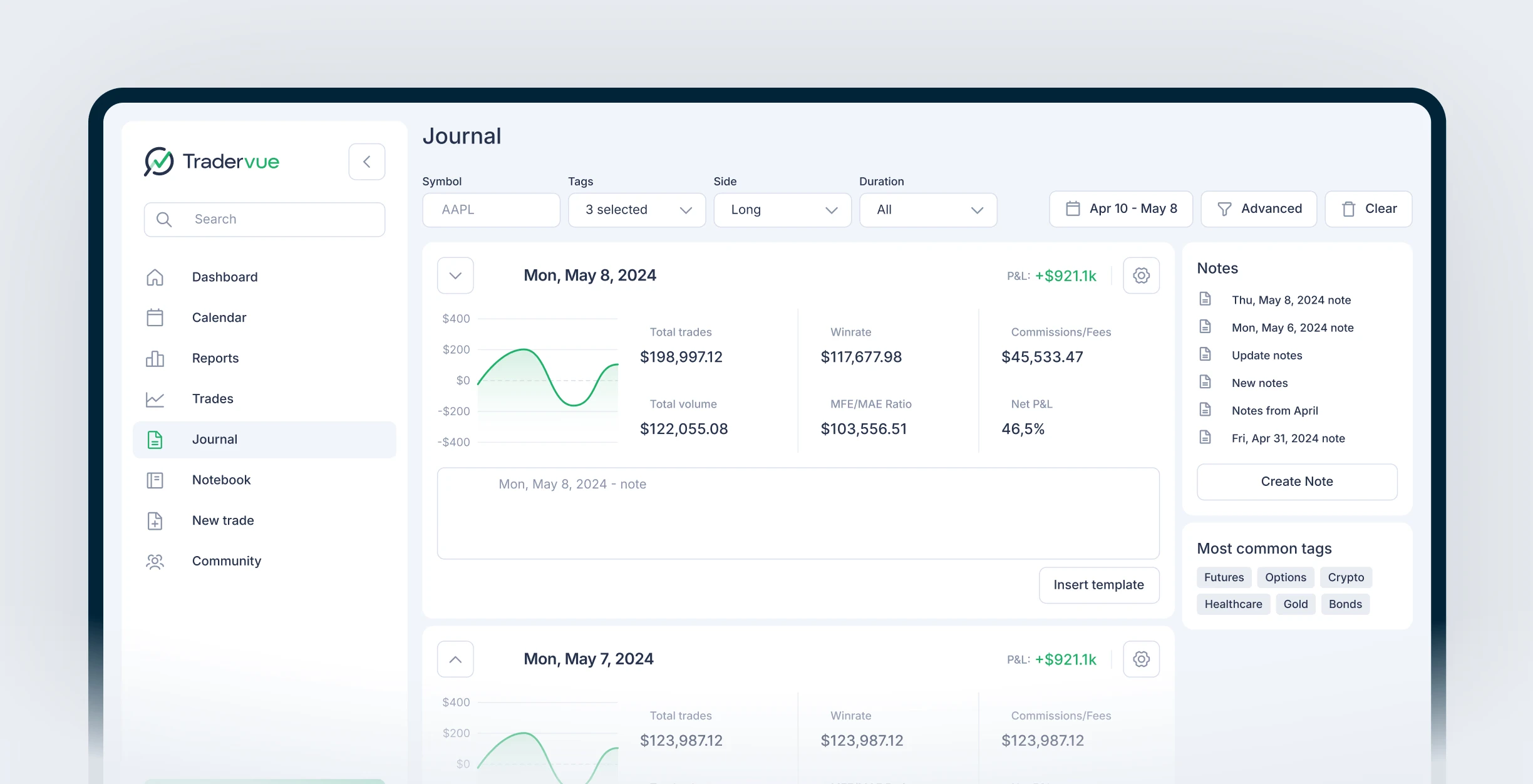
Tradervue is one of the original web-based trading journals. Over its lifetime, the platform has built a community-first approach centered on trade sharing, peer mentorship, and message boards.
Tradervue is now managed by SureSwift Capital, a holding company that acquires and operates SaaS businesses, under General Manager Steven Nash. This transition from founder-led to corporate management partly explains the platform's slow development pace. The interface remains largely unchanged from its early years, and features that competitors have adopted (AI, mobile apps, backtesting, trade replay) have never been added.
Tradervue scores just 5.2/10 on our TJ Score, reflecting gaps in advanced features, AI, and active development. Its 2.6/5 Trustpilot rating (from just 9 reviews, 89% one-star) echoes recurring complaints about billing, cancellation difficulties, and a platform that hasn't evolved. Despite these issues, Tradervue still functions for its core use case: importing trades, viewing auto-generated charts, and participating in a community of traders.
TraderSync
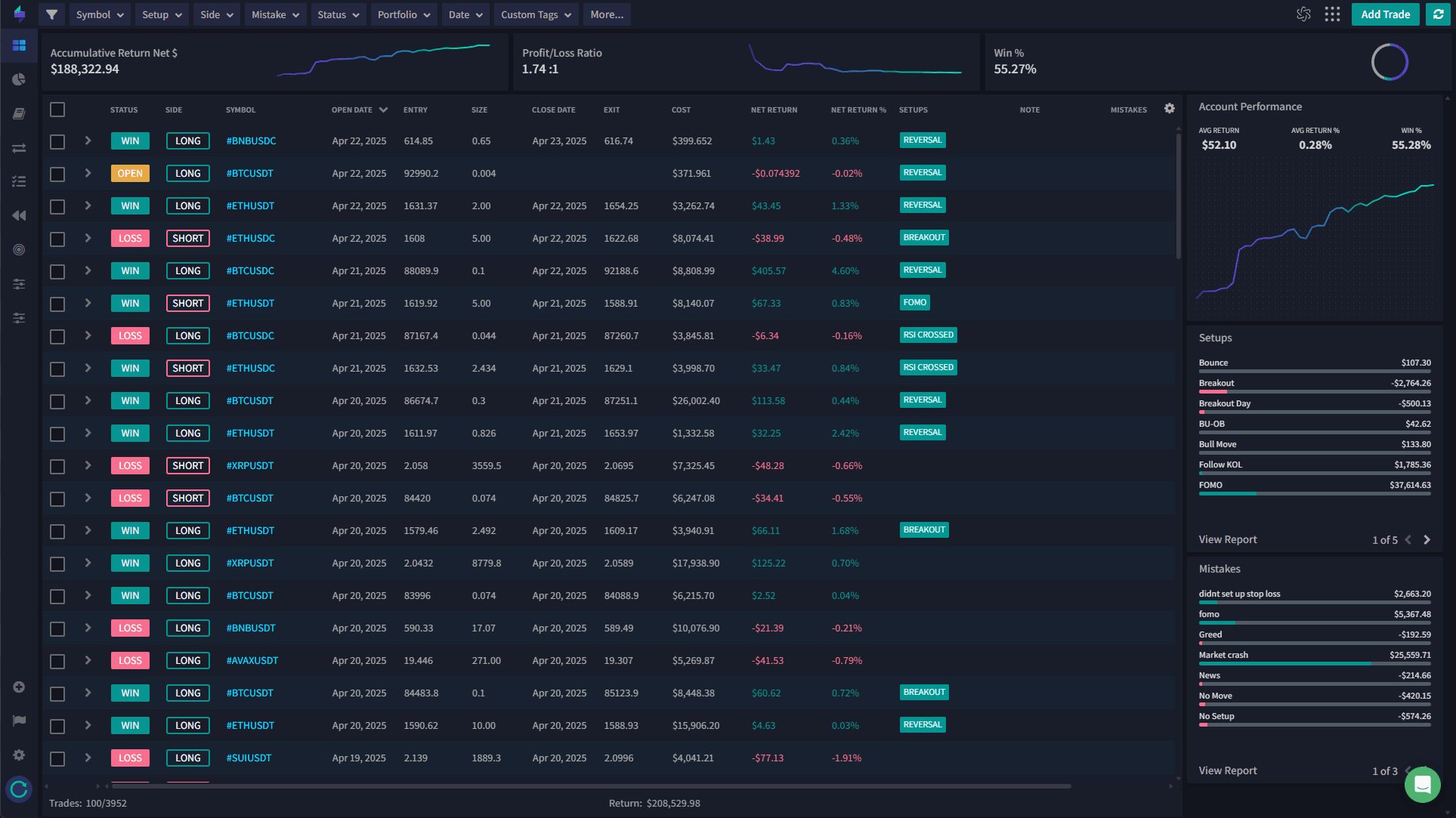
TraderSync represents the modern generation of trading journals. With a TJ Score of 7.8/10 and a 4.7/5 Trustpilot rating from 312 reviews, it has earned strong user satisfaction through continuous feature development. Cypher AI provides conversational coaching, Market Replay offers up to 250ms precision with Level II data, and 950+ broker integrations cover virtually every trading platform.
The generational gap between these two platforms is significant. TraderSync has been actively shipping features (AI coaching, market replay, backtesting, mobile apps) while Tradervue has remained largely static. For traders evaluating which platform to invest their time and money in, this trajectory matters as much as the current feature set.
Detailed Pricing Comparison
Pricing is the one area where Tradervue has a structural advantage: it offers a free plan. But the picture changes dramatically once you compare paid tiers.
Tradervue Pricing
| Plan | Monthly | Annual | Key Features |
|---|---|---|---|
| Free | $0 | $0 | 30 trades/mo, stocks & ETFs only, basic reports, community access |
| Silver | $29.95/mo | $323.46/yr (~10% off) | Unlimited imports, 100+ advanced reports, futures/forex/options, MFE/MAE, mentoring, broker auto-sync, 1GB image storage |
| Gold | $49.95/mo | $479.52/yr (~20% off) | 300+ reports, exit efficiency analysis, max potential P&L, advanced filters, liquidity reports, risk tracking, commission analysis, 5GB storage |
Tradervue offers a 7-day Gold trial, though it requires a credit card upfront.
Important free plan limitation: Tradervue's free tier restricts you to stocks and ETFs only. If you trade options, futures, or forex, you must upgrade to Silver ($29.95/mo) at minimum. This is a detail many comparison articles miss: the free plan is genuinely useful, but only for equity traders taking fewer than 30 trades per month.
TraderSync Pricing
| Plan | Monthly | Annual | Key Features |
|---|---|---|---|
| Pro | $29.95/mo | ~$16.47/mo (~$197.64/yr, 45% off) | 1 account, 5 strategies, 5 Cypher AI msgs/day, 1-min replay |
| Premium | $49.95/mo | ~$24.97/mo (~$299.64/yr, 50% off) | Up to 20 accounts, 15 AI msgs/day, 1-sec replay, trade replay review |
| Elite | $79.95/mo | ~$39.97/mo (~$479.64/yr, 50% off) | 60 AI msgs/day, 250ms replay + Level II, Cypher Coach, mobile app, backtesting, simulator |
TraderSync offers a 7-day free trial with no credit card required. There is no free plan (it was discontinued).
Value at Each Price Point
At ~$30/month: Tradervue Silver ($29.95/mo) gives you unlimited imports, 100+ reports, and access to futures, forex, and options. TraderSync Pro ($29.95/mo) gives you Cypher AI (5 messages/day), 1-minute market replay, and 950+ broker integrations. Both are priced identically, but TraderSync Pro includes AI and replay, features Tradervue doesn't offer at any price.
At ~$50/month: Tradervue Gold ($49.95/mo) adds 300+ reports, exit efficiency analysis, and advanced filters. TraderSync Premium ($49.95/mo) offers 1-second replay, 15 AI messages/day, and up to 20 account connections. Again, TraderSync delivers capabilities Tradervue simply doesn't have.
Annual savings: TraderSync's annual discounts are significantly steeper. TraderSync Pro drops to ~$197/year (45% off), while Tradervue Silver drops to ~$323/year (10% off). At the annual rate, TraderSync Pro costs $126 less per year than Tradervue Silver while offering AI and replay. This is the clearest indication that TraderSync is the better value.
Tradervue wins on free access. TraderSync wins at every paid tier, offering AI, replay, and more broker coverage at lower annual prices. If you're going to pay for a journal, TraderSync is the better investment.
AI Features
This is one of the starkest contrasts in the comparison. TraderSync has made AI a central pillar of its platform. Tradervue has deliberately chosen not to add AI at all.
TraderSync's Cypher AI
Cypher AI is TraderSync's conversational coaching system. It analyzes your trading history and provides interactive guidance across several capabilities:
- Pattern detection: Identifies recurring behavioral patterns in your trading, like overtrading after losses, inconsistent position sizing, or time-of-day tendencies you might not notice manually
- Natural language querying: Ask questions about your performance in plain English ("What's my win rate on Fridays?" or "How do I perform on gap-up plays?") and get instant answers pulled from your data
- Trade planning: Helps you build structured trade plans before market open based on your historical performance patterns
- What-if scenarios: Model hypothetical changes to your strategy ("What if I had stopped trading after 3 losses?") and see the projected impact on your P&L
- Proactive alerts: Cypher surfaces insights without being asked, flagging when you're deviating from your plan or when conditions match patterns where you historically underperform
The AI improves with data. TraderSync recommends having at least 100+ trades logged before Cypher's insights become truly useful. On the Pro plan, you get 5 AI messages per day. Premium raises that to 15, and Elite provides 60 messages plus Cypher Coach for deeper ongoing guidance.
Tradervue's Approach: No AI
Tradervue has no AI features whatsoever. No pattern recognition, no automated insights, no conversational querying. All analysis is entirely manual: you review your reports and draw your own conclusions. This isn't an oversight or a feature in development; Tradervue has deliberately chosen not to pursue AI capabilities.
In 2026, AI-powered analysis is rapidly becoming a baseline expectation in trading journals. The ability to have an AI surface patterns you might miss (like discovering that your revenge trades after consecutive losses are costing you 2% monthly) is a genuine edge. Tradervue's absence here is a significant competitive gap.
Trade Replay
Trade replay lets you rewatch how the market unfolded during your trades, turning static P&L numbers into actionable lessons about execution quality, timing, and psychology.
TraderSync Market Replay
TraderSync's Market Replay covers 30,000+ assets and operates at three precision levels depending on your plan:
- Pro (1-minute replay): Adequate for reviewing swing trades and longer-duration positions, but misses the intraday detail that day traders need
- Premium (1-second replay): Sharp enough for most day trading review, with trade replay review features that let you annotate and assess your execution in context
- Elite (250ms replay + Level II): The highest fidelity available, with Level II order book data that shows you exactly what the bid/ask looked like when you entered and exited. Essential for scalpers and tape readers
Additional replay features include playlists (queue up specific trades for batch review), jump-to-candle navigation, color-coded time and sales tape, and multi-symbol views for correlated positions. You can speed up, slow down, or pause at any point.
Tradervue: No Replay
Tradervue has no trade replay. The platform generates static TradingView charts with entry and exit markers plotted automatically, which is useful for reviewing what happened at a glance. But you can't step through market data as it unfolded, control playback speed, or see Level II conditions at your execution points. These charts are also non-interactive; you can't manipulate timeframes or add indicators.
For day traders and scalpers, trade replay is one of the most effective tools for identifying execution errors and improving entries/exits. This is a category where Tradervue has nothing to offer.
Backtesting
TraderSync offers systematic backtesting on the Elite plan with access to 30,000+ assets. The backtesting engine includes a trading simulator where you can test strategies against historical data before risking real capital. It integrates with the journaling system, so backtested trades can be logged alongside your live performance for comparison.
Tradervue has no backtesting capabilities. If you use Tradervue and need to backtest, you'll need a separate platform entirely.
Backtesting isn't available on TraderSync's Pro or Premium plans; it's an Elite feature ($79.95/mo or ~$39.97/mo annual). This is worth noting: if backtesting is your primary reason for choosing TraderSync, you're committing to the highest-priced tier.
Broker Support & Trade Import
TraderSync supports 950+ broker integrations through both direct auto-sync connections and CSV import. This covers virtually every major platform: Interactive Brokers, TD Ameritrade/Schwab, Webull, Robinhood, MetaTrader 4/5, NinjaTrader, Tradovate, TradeStation, and hundreds more. Most connections allow automatic trade syncing with no manual uploads required.
Tradervue supports approximately 80 broker integrations, covering major US brokers but missing many international platforms and newer brokerages. For brokers not directly supported, Tradervue offers a generic CSV import format. Auto-sync with brokers is available, though the selection is significantly smaller than TraderSync's.
The gap here is roughly 12:1. If you use a less common broker, there's a much higher chance TraderSync supports it directly. For traders switching brokers or using multiple platforms, TraderSync's broader coverage eliminates import headaches.
Mobile Experience
TraderSync offers native iOS and Android apps, but with an important caveat: the mobile app is only available on the Elite plan ($79.95/mo or ~$39.97/mo annual). Pro and Premium subscribers don't get mobile access. The app has a 2.7/5 rating on the App Store from 83 ratings, with users reporting occasional bugs and functionality gaps compared to the desktop experience. It works for reviewing trades on the go, but it's not a full replacement for the web app.
Tradervue has no mobile app at all. The platform is web-only, and while you can access it through a mobile browser, the interface wasn't designed for mobile use and the experience is cumbersome on smaller screens.
TraderSync wins this category, but the win comes with asterisks. Mobile access is locked behind the most expensive tier, and the app itself has room for improvement based on user reviews. If mobile journaling is critical to your workflow, confirm the Elite plan fits your budget before counting on it.
Community & Sharing
This is Tradervue's one genuine strength in this comparison, the area where its legacy and first-mover advantage still matter.
Tradervue's Community
- Public trade sharing: Share individual trades with the community, with granular privacy controls over what details are visible (you can hide position size, account value, or specific dollar amounts)
- Community message board: Browse and discuss other traders' shared trades, ask questions, and participate in topic-based discussions
- Mentor/mentee system: Give a mentor read access to your journal so they can review your trades, leave comments, and track your progress
- Trade browsing: Explore how other traders handled specific setups, symbols, or market conditions. This is a form of passive learning from the community's collective experience
Tradervue has an established community that TraderSync simply doesn't match. For traders who value peer interaction, social learning, and the ability to browse how others trade, this is a real differentiator.
TraderSync's Community
TraderSync doesn't have a comparable community feature. The platform is focused on individual performance analysis rather than social interaction. There's no public trade feed, no message board, and no peer browsing system. While Cypher AI partially compensates by providing feedback that a community might offer, it's not the same as learning from other human traders.
If community-based learning is a priority in your trading development, Tradervue has a meaningful advantage here.
Analytics & Reporting
Both platforms offer analytics, but the depth and presentation differ significantly.
Tradervue Analytics
Tradervue's reporting is split across its tiers. The free plan includes basic stats. Silver unlocks 100+ advanced reports including MFE/MAE statistics (Maximum Favorable/Adverse Excursion), which measure how far a trade moved in your favor or against you before closing. Gold adds 300+ reports, exit efficiency analysis (comparing your actual exits to theoretically optimal exits), maximum potential P&L analysis, liquidity reports, risk tracking, and commission analysis.
The Gold-tier exit efficiency analysis is a genuinely useful feature: it tells you how well you're capturing available moves. But at $49.95/mo (or $479.52/yr annual), you're paying a premium for analytics that competing platforms include at lower price points.
TraderSync Analytics
TraderSync provides 20+ customizable dashboard widgets with interactive charts. The analytics are powered by Cypher AI on paid tiers, meaning the platform doesn't just show you data; it interprets it. You can query your performance with natural language, filter by virtually any dimension, and get AI-generated explanations of trends and anomalies.
TraderSync's dashboard is more visual and modern than Tradervue's table-heavy reporting interface. The interactive widgets let you drill into specific time periods, instruments, or setup types without navigating to separate report pages.
Tradervue arguably has more raw report types at the Gold tier (300+), but many of these are permutations of the same data. TraderSync's AI layer makes its smaller set of widgets more actionable. Getting an AI interpretation of why your Tuesday afternoon trades underperform is more useful than a static table showing the same data without context.
Supported Markets
| Market | Tradervue | TraderSync |
|---|---|---|
| Stocks | All plans | All plans |
| ETFs | All plans | All plans |
| Options | Silver+ ($29.95/mo) | All plans |
| Futures | Silver+ ($29.95/mo) | All plans |
| Forex | Silver+ ($29.95/mo) | All plans |
| Crypto | No (CME Bitcoin futures only) | Yes (charting limited to US equities) |
Two things stand out. First, Tradervue gates options, futures, and forex behind its Silver plan ($29.95/mo). If you trade any of these asset classes, the "free plan" doesn't apply to you. Second, Tradervue has no meaningful crypto support. The only crypto-adjacent instruments it handles are CME Bitcoin futures contracts, which function more like futures than traditional crypto trading.
TraderSync supports crypto alongside all other major asset classes on every plan, though charting capabilities for crypto are limited to US equities. Both platforms cover the traditional markets well for paid users, but TraderSync's broader asset class support on its entry-level plan is an advantage.
Customer Support & Reputation
The Trustpilot ratings tell a striking story about user sentiment.
TraderSync: 4.7/5 (312 reviews)
TraderSync's rating reflects strong user satisfaction across a meaningful sample size. With 312 reviews, this isn't a handful of cherry-picked testimonials. It represents a broad cross-section of users. Positive reviews consistently praise the AI features, the analytics depth, and responsive customer support.
Tradervue: 2.6/5 (9 reviews, 89% one-star)
Tradervue's Trustpilot profile is concerning. With only 9 reviews and 89% of them being one-star, the recurring complaints center on billing and cancellation issues. Users report difficulty canceling subscriptions and unexpected charges. While 9 reviews is a small sample, the near-unanimous negative sentiment, combined with the platform's slow development pace, paints a picture of a product under minimal active management.
The Trustpilot gap (4.7 vs. 2.6) is the widest in any major trading journal comparison we've covered. While Tradervue's small review count means the rating could shift, the consistency of billing complaints is a genuine warning sign.
To be fair, many Tradervue users have used the platform for years without issues, and the free plan minimizes financial risk. But if you're committing to a paid plan, TraderSync's track record of user satisfaction is significantly stronger.
Who Should Choose Which
Choose TraderSync if you...
- Want AI-powered coaching that identifies patterns in your trading
- Need trade replay to review execution quality (1-min, 1-sec, or 250ms)
- Use a broker outside the top 20 US platforms (950+ integrations vs. 80)
- Trade crypto alongside traditional markets
- Want mobile access to your journal (Elite plan required)
- Need backtesting to validate strategies (Elite plan required)
- Prefer a modern, actively developed platform with strong Trustpilot ratings
- Value annual pricing savings (up to 50% off vs. Tradervue's 10–20%)
Choose Tradervue if you...
- Need a genuinely free journal and only trade stocks/ETFs
- Take fewer than 30 trades per month
- Value community-based learning and peer trade sharing
- Want to browse how other traders handle specific setups
- Work with a mentor who needs read access to your journal
- Prefer a simple, no-frills interface without feature complexity
- Only need basic trade logging without AI, replay, or backtesting
Consider TradeZella Instead
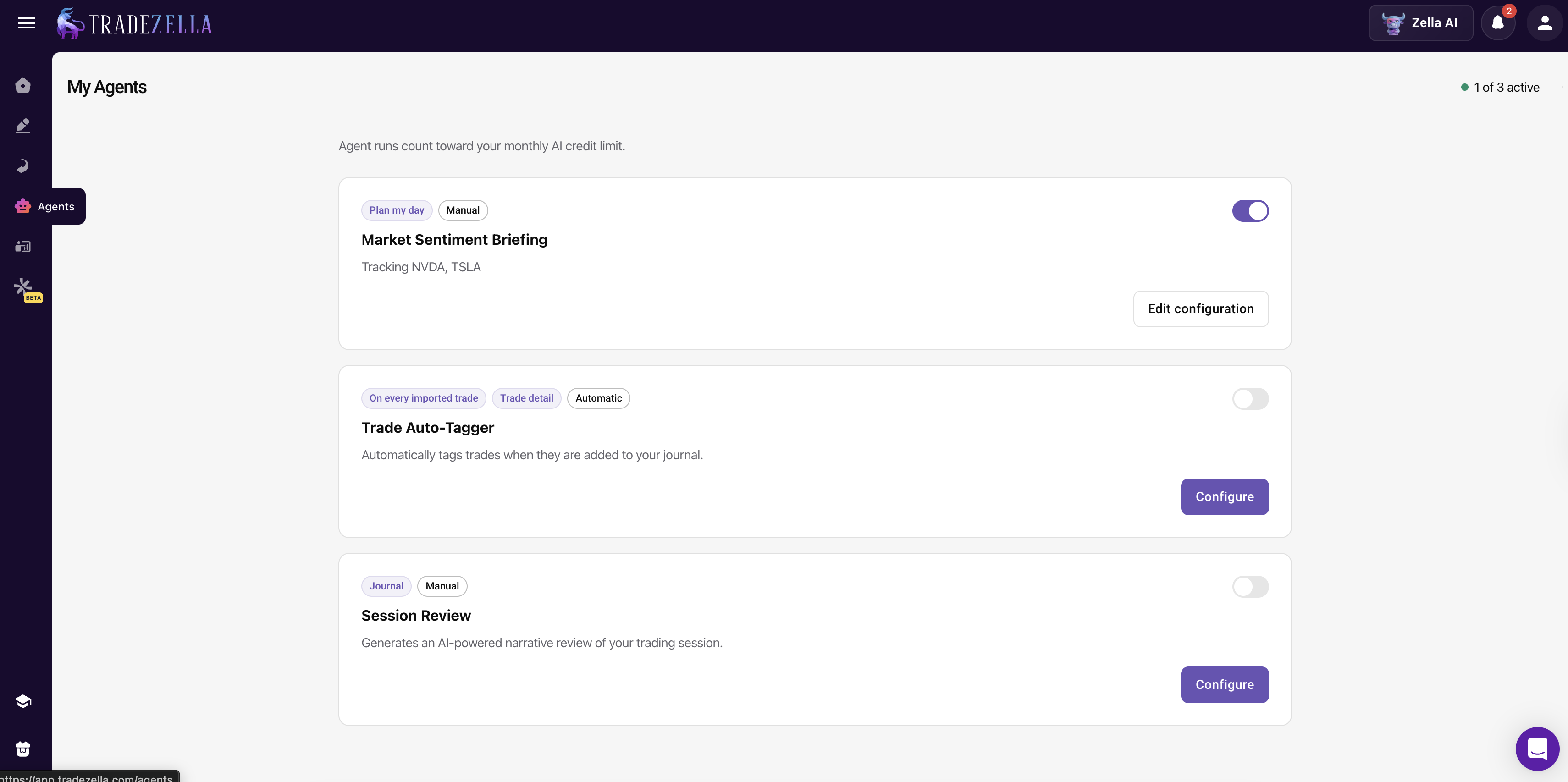
This comparison highlights a pricing puzzle. Tradervue is free but feels frozen in time. TraderSync is modern but charges $79.95/month for its full experience. TradeZella, the top-rated AI trading journal, sits in an interesting middle ground: at $29/month, its Basic plan already includes backtesting, trade replay, 50+ analytics reports, and Zella AI with autonomous agents that tag trades, brief you before sessions, and review your day automatically. Those are features TraderSync reserves for its Elite tier at nearly triple the price.
The difference goes deeper than a feature checklist. In our testing, the experience of using TradeZella felt more like a structured workflow than a collection of tools. You journal a trade, then pull up the replay to watch exactly how it unfolded. You notice a pattern, so you open the backtester to see if that setup held up over 11+ years of historical data. You want to formalize it into a repeatable process, so you build from one of 25+ strategy templates. And if you're still developing as a trader, Zella University courses and the Spaces mentor community are built in, not bolted on from a separate subscription. For traders who've outgrown basic logging but don't want to pay Elite-tier prices for the tools that actually matter, TradeZella is worth trying. Plans start at $29/month ($24/month billed annually).
Visit Tradervue → Visit TraderSync →
Frequently Asked Questions
Does Tradervue have a free plan?
Yes. 30 trades per month for free, but restricted to stocks and ETFs. Options, futures, and forex require the Silver plan ($29.95/mo). TraderSync has no free plan but offers a 7-day free trial with no credit card required.
Does Tradervue support crypto?
Not meaningfully. The only crypto-related instrument Tradervue supports is CME Bitcoin futures, which are futures contracts, not spot crypto. TraderSync supports crypto alongside stocks, options, futures, and forex, though crypto charting is limited to US equities.
Can I export my trade data from Tradervue to TraderSync?
Tradervue allows you to export your trade history as a CSV file. TraderSync accepts CSV imports through its generic importer. The migration is possible but not seamless. You will need to map column headers manually, and Tradervue-specific data like shared trade comments, community notes, and mentor feedback will not carry over. Plan for 20 to 40 minutes of cleanup depending on how many trades you have logged.
Can I share trade reports publicly with either platform?
Tradervue has built-in public trade sharing with granular privacy controls. You can publish individual trades to the community while hiding sensitive details like position size or account value. Other traders can comment on your shared trades. TraderSync does not have a public sharing or community feed feature. If you need to share reports externally (with a mentor or trading group), TraderSync supports PDF and screenshot exports, but there is no interactive sharing system.
Which platform handles partial fills better?
TraderSync automatically groups partial fills into a single trade when imported via broker auto-sync, which keeps your journal clean without manual intervention. Tradervue also groups executions into trades, but its grouping logic occasionally splits what should be one trade into multiple entries, especially with complex options or futures orders. Both platforms let you manually merge or split trades after import if the automatic grouping is incorrect.
Does TraderSync have a free plan like Tradervue?
No. TraderSync does not have a free plan but offers a 7-day free trial with no credit card required. Tradervue offers a permanent free tier (30 trades/month, stocks and ETFs only). If you want to journal without paying anything, Tradervue's free plan is the option. If you want to test a more feature-rich platform risk-free, TraderSync's trial is the better path.
Which platform has better AI features?
TraderSync, by a wide margin. Its Cypher AI provides conversational coaching, letting you ask questions about your trading data in natural language. Tradervue has no AI features whatsoever. For context, TradeZella also offers AI-powered analytics through Zella AI with 50+ reports.
Which is better for prop firm traders?
TraderSync is better for prop firm traders between the two. It supports more brokers (950+ vs 80+), including most prop firm platforms. Tradervue's limited broker coverage may not include your prop firm's platform. For the best prop firm experience specifically, TradeZella offers Prop Firm Sync Mode that lets you manage multiple evaluations from one dashboard.
Does Tradervue have a mobile app?
No. Tradervue is desktop-focused with limited mobile functionality. TraderSync offers native iOS and Android apps, giving it a clear advantage for mobile journaling. If logging trades on the go is important, TraderSync is the better choice.
Are there better alternatives to both Tradervue and TraderSync?
TradeZella consistently outscores both in our testing (TJ Score: 9.4 vs TraderSync 7.8 vs Tradervue 5.2). It offers deeper analytics than TraderSync (50+ reports), more advanced features (backtesting with 11+ years of data, built-in ICT indicators, two trade replay modes), and built-in education through Zella University. The tradeoff is no free plan and no mobile app. If those are not dealbreakers, TradeZella delivers more value than either platform.